Manually Deploy an HTML Website on an HTTPD Server

Introduction
Deploying an HTML website on an HTTPD server is a fundamental skill for any web developer or system administrator. This process allows you to serve static web pages from a server to users on the internet. In this guide, we'll walk through the steps to manually deploy an HTML website on an HTTPD server.
Prerequisites
Before we begin, ensure you have the following:
A Linux server (e.g., CentOS, RHEL, or Ubuntu).
Root or sudo access to the server.
A basic understanding of the Linux command line.
A simple HTML website to deploy.
Step 1: Install Apache HTTPD Server
The first step is to install the Apache HTTPD server. Apache is one of the most popular web servers in the world.
For CentOS/RHEL:
  sudo yum update
  sudo yum install httpd -y
For Ubuntu:
  sudo apt update
  sudo apt install apache2 -y
Once installed, start the Apache service and enable it to start on boot:
sudo systemctl start httpd
sudo systemctl enable httpd
Verify the installation by checking the status:
sudo systemctl status httpd
Step 2: Configure Firewall
If you have a firewall enabled, you need to allow HTTP traffic:
For CentOS/RHEL:
  sudo firewall-cmd --permanent --add-service=http
  sudo firewall-cmd --reload
For Ubuntu:
  sudo ufw allow 'Apache'
  sudo ufw reload
Step 3: Deploy Your HTML Website
Now that the Apache server is running, you can deploy your HTML website.
Navigate to the Document Root: By default, Apache serves files from
/var/www/html. You can navigate to this directory using:cd /var/www/htmlUpload Your Website Files: Copy your HTML files (e.g.,
index.html) and any associated files (like CSS, JavaScript, or images) into this directory. You can usescp(secure copy) to transfer files from your local machine to the server:cp -r /path/to/your/website/files/* username@your-server-ip:/var/www/html/Set Permissions: Ensure that Apache can read the files. Set the correct permissions:
 sudo chown -R apache:apache /var/www/html
 sudo chmod -R 755 /var/www/html
Step 4: Test Your Website
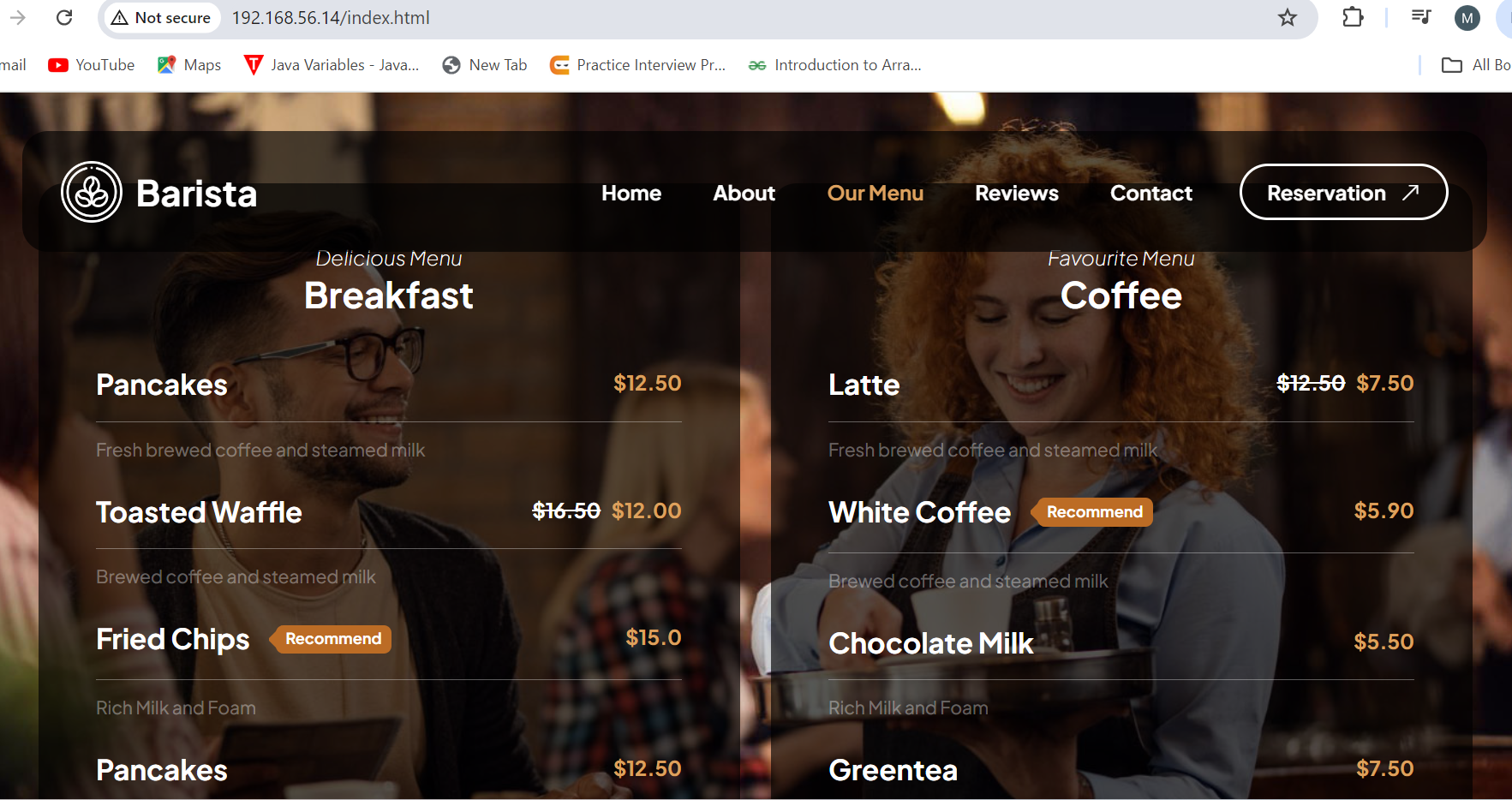
Open a web browser and enter your server's IP address. If everything is set up correctly, your HTML website should be displayed.
http://your-server-ip



Conclusion
You've successfully deployed an HTML website on an HTTPD server! This process is the foundation of web hosting and is a critical skill in web development and DevOps. From here, you can expand by exploring how to host dynamic websites, secure your server with SSL, or automate deployments using CI/CD pipelines.


